 Diaper Days
Start with one entry for each change.
Record the time and what you observed. Use labels your caregivers understand in the same way: wet, dirty, both, or dry. Add a note when you want to remember something beyond that label.
You do not need a long description for every change. Keep extra observations when they answer a question you have or preserve a detail you may want to discuss. Describe what you saw rather than deciding what caused it.
If you record a change afterward, use the time it happened when you know it. If you are estimating, say so. Before adding an event, check whether the caregiver who did the change has already entered it.
Count changes without counting one twice.
A diaper can be both wet and dirty. That is one change with two observations. If you add separate wet and dirty counts together, you can accidentally count those mixed diapers twice.
For example, three wet-only changes, one dirty-only change and two mixed changes describe six diaper changes. Five changes were wet and three were dirty, because the two mixed changes belong to both descriptions. The total is still six changes.
When someone asks about the day, say which count you mean. “Six changes, including two that were both wet and dirty” is easier to follow than a pair of totals with no explanation. If a detail was not recorded, leave it unknown until someone can clarify it.
Keep diaper changes with the rest of their day.
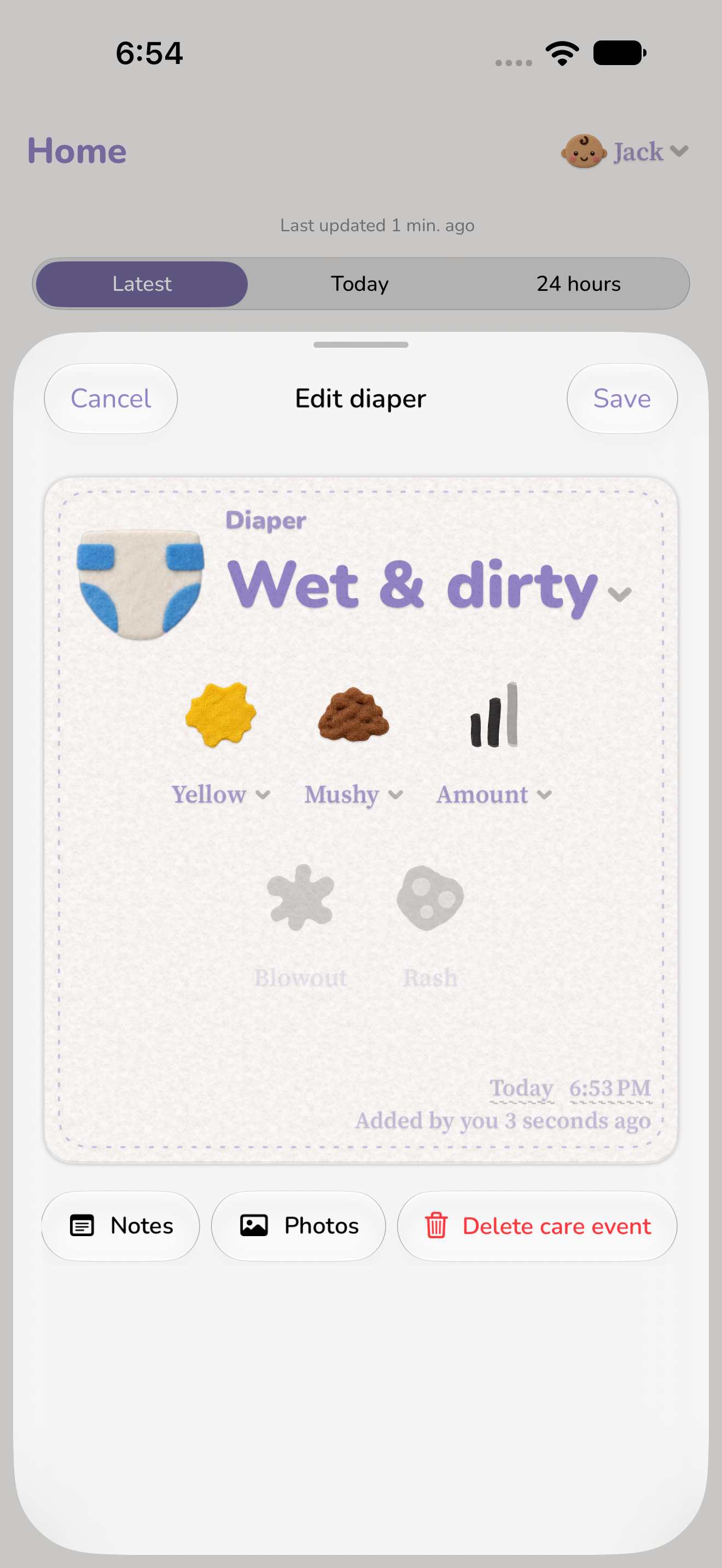
In Diaper Days, record a Diaper event as wet, dirty, wet and dirty, or dry. When useful, add details such as color, texture, size, a rash or a blowout, along with a note. Keep the observations you know rather than filling every optional field.
Open a saved event to correct a time or add a detail later. The change stays in your child’s history beside feeds, sleep and other care, so you can find the last diaper or look back over the events around it.
At a handoff, check the most recent change and pass on any observation that needs a conversation. Keeping the record current gives the next caregiver a place to look when they need the time or details again.

Look across the changes you recorded.
Diaper Days Insights shows diaper changes with their wet, dirty, mixed and dry breakdown. Compare similar dates, then return to History to check the entries behind a day that stands out. Check that both days cover the same hours of logging. The charts keep the recorded counts together without turning a diaper observation into a health assessment.